
IDX Chart Automatic Setup.
Automatic chart setups for Indonesia Stock Exchange names — classic patterns, support/resistance, candlesticks, RSI divergence, and more. Scanner lists live setups across the board. Pro unlocks screener, sector rotation versus IHSG, CSV export, and live intraday bars. Free to start.
- Version
- 0.4.4
- Size
- 117 MB
- System
- Windows 10/11 64-bit · macOS Apple Silicon (arm64)
- Released
- 29 Oct 2026
- MMIX Double bottom Confirmed
- ASLI Head and shoulders Forming
- TOBA Rectangle Forming
- ITMG Double top Forming
- SMLE Cup and handle Confirmed
- INKP Bear pennant Breakout
- INTP Rectangle Forming
- JARR Bear flag Breakout
- CMNT Double bottom Forming
- BDMN Double top Forming
- JECX Double bottom Forming
- MBSS Double top Forming
- ANDI Rectangle Forming
- GGRM Head and shoulders Forming
- SMRA Regular bullish RSI Breakout
- PGEO Double top Forming
What you use day to day
Charts & patterns
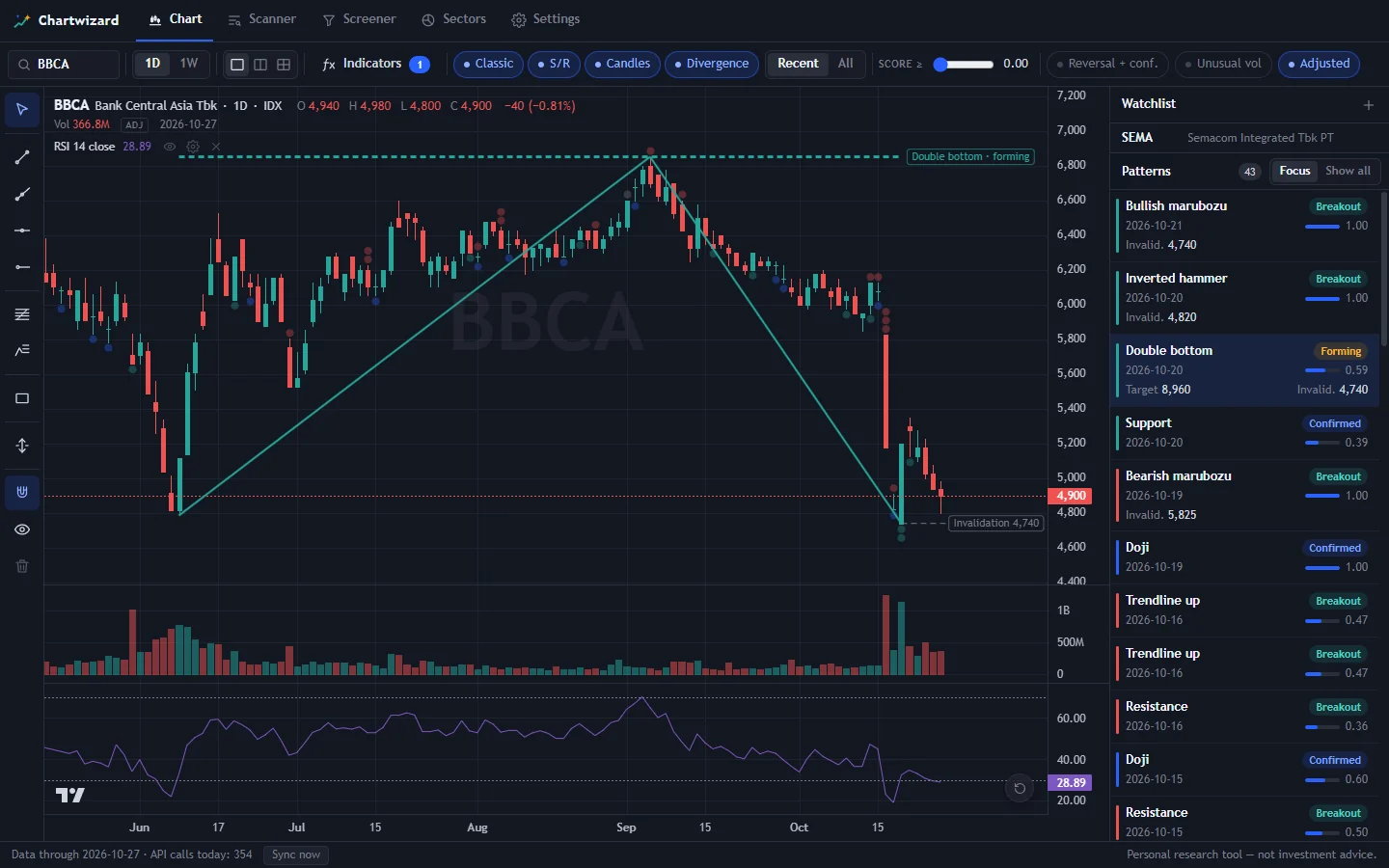
Candles, volume, RSI. MACD, Bollinger, Supertrend. Drawing tools. Auto patterns: classic, support/resistance, candlestick, RSI divergence. Six themes — dark to pastel.
Scanner
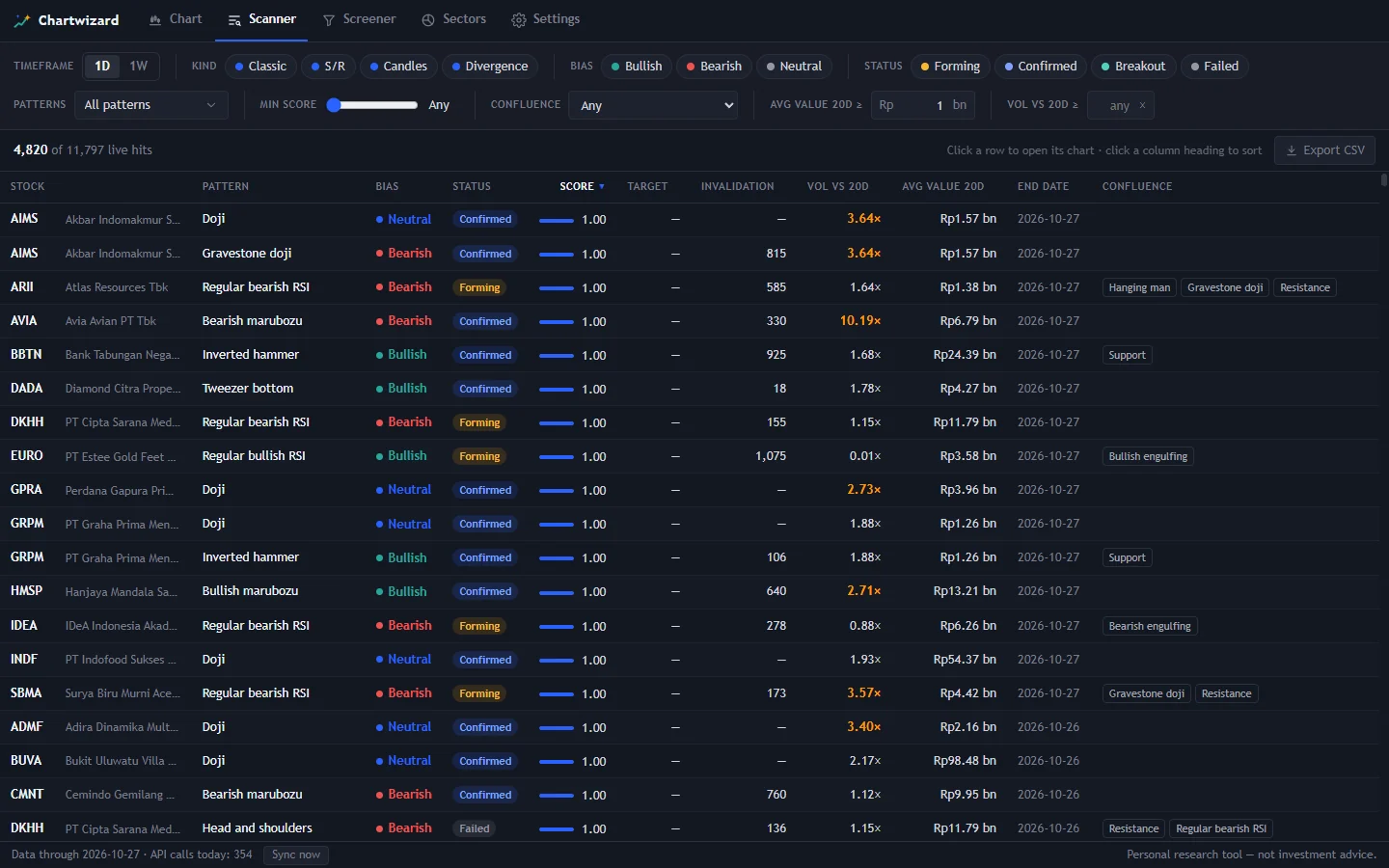
Every live setup on IDX in one list. Filter liquidity, volume spikes, and confirmation — so you are not flipping charts one by one.
Screener Pro
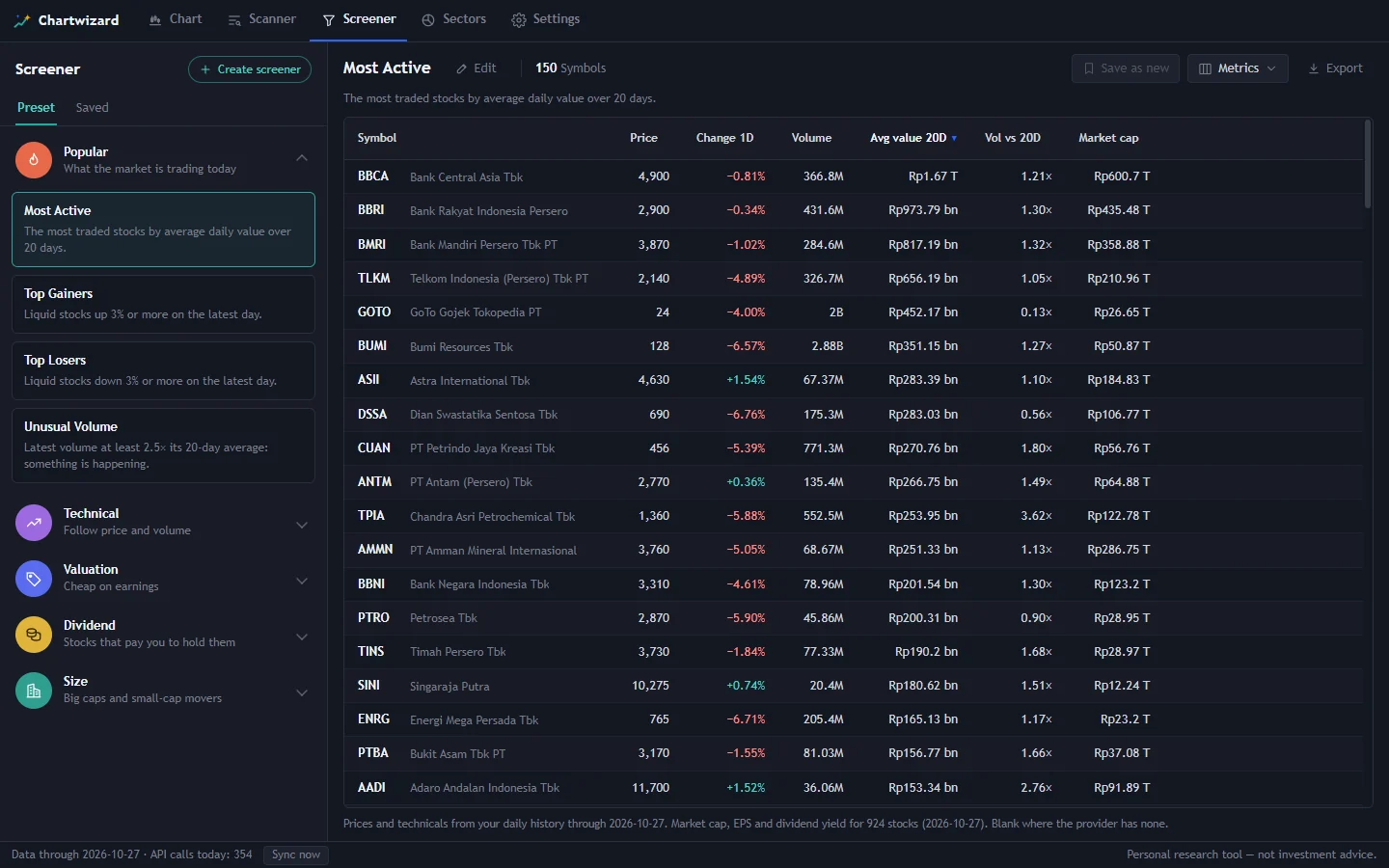
Filter by price, returns, trend, volume, and fundamentals — or jump to presets: Top Gainers, Unusual Volume, Low P/E.
Sector rotation Pro
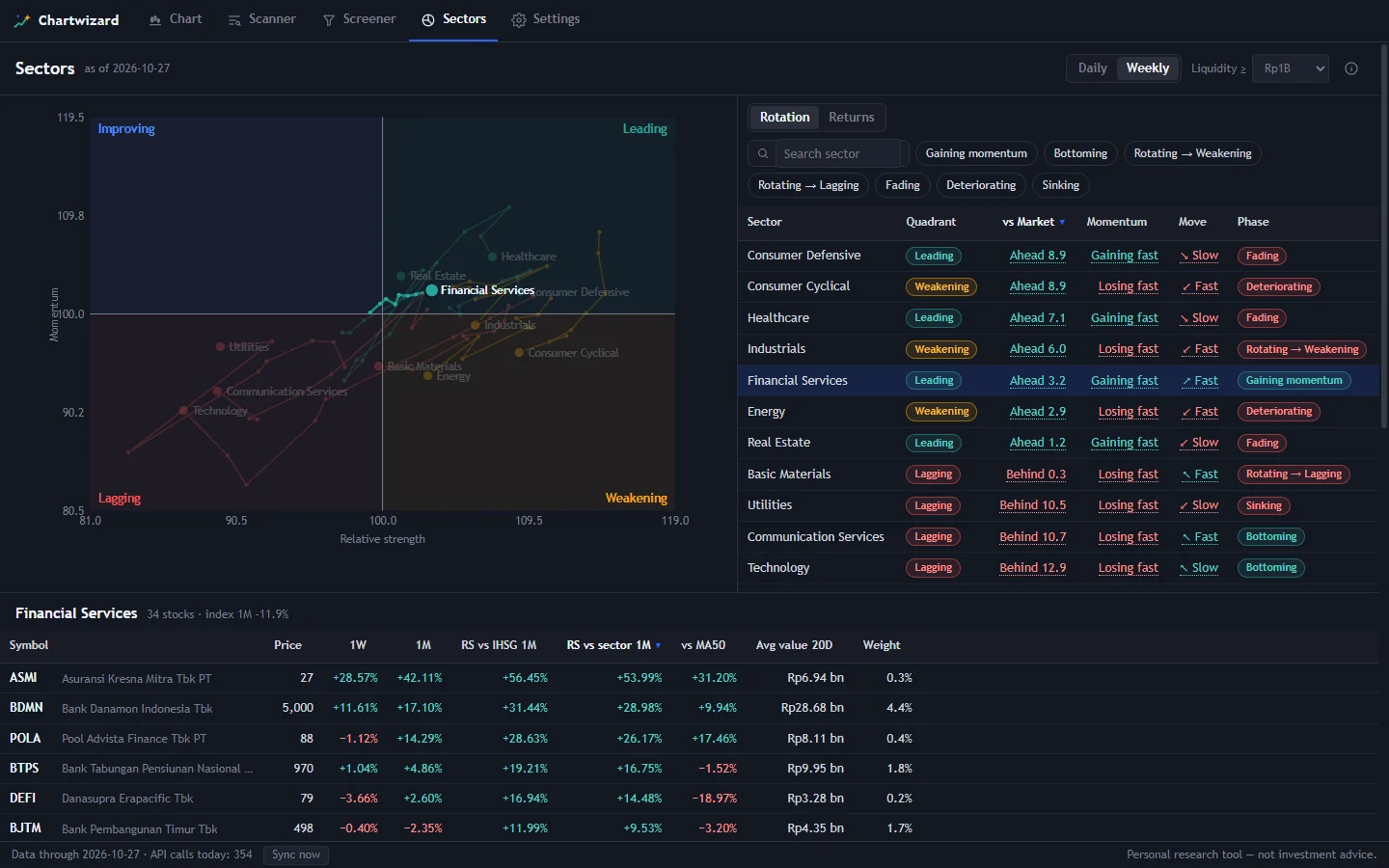
Which sectors are strong or soft versus IHSG, plus the strongest names in each. Needs EODHD (Yahoo has no sector data).
How to install
Windows
-
Run the installer
Open
Chartwizard-Setup-0.4.4.exefrom Downloads and finish the wizard. -
SmartScreen warning?
The installer is not code-signed yet, so Windows may show the blue Windows protected your PC screen. Click More info, then Run anyway.
That is the unsigned-app warning, not a virus finding. To confirm the file is genuine, match the SHA-256 at the bottom of this page.
-
Pick a data provider
Open Settings → Data provider. Yahoo needs no token; EODHD uses your own API token. First sync pulls history; after that it updates daily once the market closes.
macOS (Apple Silicon)
-
Install from the DMG
Open the DMG, then drag Chartwizard into Applications.
-
Gatekeeper warning?
The Mac build is not code-signed or notarized yet, so macOS may refuse to open it (“Chartwizard” cannot be opened…). Open System Settings → Privacy & Security, then click Open Anyway.
That is the unsigned-app warning, not a virus finding. Download only from this page or GitHub Releases.
-
Pick a data provider
Open Settings → Data provider. Yahoo needs no token; EODHD uses your own API token. First sync pulls history; after that it updates daily once the market closes.
Free and Pro
Free
- Chart: indicators, drawings, patterns and levels
- Daily auto-sync
- Scanner: The top 5 setups
- – Screener and Sectors
- – CSV export
- – Live intraday bars
Pro
- Chart: indicators, drawings, patterns and levels
- Daily auto-sync
- Scanner: Every setup and filter
- Screener and Sectors
- CSV export
- Live intraday bars
One licence covers 2 machines. Payment through Lynk.id. How to activate Pro
Common questions
Is it safe? Why does Windows warn me?
The Windows installer is not code-signed; SmartScreen warns on every app like that. Download only from this page or GitHub Releases, and match the SHA-256 if you want to double-check.
Why does macOS block Chartwizard?
The Mac build is not Apple-signed or notarized yet. Open System Settings → Privacy & Security, then choose Open Anyway. Download only from this page or GitHub Releases.
How do I update?
On Windows, from 0.3.0 Chartwizard updates itself: the new version downloads in the background; click Restart now in the status bar to install. Still on 0.1.0 or 0.2.0? Download the latest above and install once over the old one. On Mac, download the latest DMG and reinstall into Applications for now (Mac auto-update is not published yet).
Where is my data kept?
On Windows: %APPDATA%\idx-chart. On macOS: ~/Library/Application Support/idx-chart. Prices, settings, licence, and a daily backup live there. Uninstalling keeps that folder, so reinstalling picks up where you left off.
Which systems are supported?
Windows 10 and 11, 64-bit, plus macOS Apple Silicon (arm64). No Intel Mac or Linux build yet.
Check your download
The SHA-256 of this version's installer:
6bc6ac8fe98c429c4f74ccb0076a462a1ac6e7745164ecb80bdb4447b7a15602
In PowerShell, run this in the folder where the file is saved, and compare the result:
Get-FileHash .\Chartwizard-Setup-0.4.4.exe -Algorithm SHA256